April 1st passes, along with its jokes and fake news that make you question everything on April Fools Day.
But scammers don't pause for the day.
Spring sees a surge in cyberattacks—not because employees are careless, but because busy schedules and distractions create openings.
It's during these hectic moments that deceptive scams slip past unnoticed, blending seamlessly into daily workflows until damage is done.
Below are three active scams targeting vigilant employees hustling through their day.
As you review them, consider: Would everyone on my team take the moment needed to spot these threats?
Scam #1: Toll or Parking Fee Text Alerts
An employee receives a text:
"You owe an unpaid toll of $6.99. Pay within 12 hours to avoid penalties."
The message references legitimate state toll systems like E-ZPass, SunPass, or FasTrak, tailored to the recipient's location. The small charge feels harmless.
In between meetings, they click the link, pay the fee, and carry on.
But the link is fraudulent.
In 2024, the FBI logged over 60,000 reports of fake toll texts, with incidents soaring 900% in 2025. Experts uncovered more than 60,000 fake domains mimicking official toll sites, revealing how lucrative this scam has become. Some targets even live in states without toll roads.
The scam works because $6 feels negligible, and many have recently driven through tolls or parked downtown, making it believable.
Protection tip: Authentic toll authorities never demand instant text payments. Establish a strict company policy: no payments are made through text links. Instead, employees should access official sites directly and avoid replying to suspicious messages—responding confirms an active number inviting more scams.
Convenience is the lure. Process is the shield.
Scam #2: "Your File Is Ready" Phishing
This scam fits perfectly into daily routines.
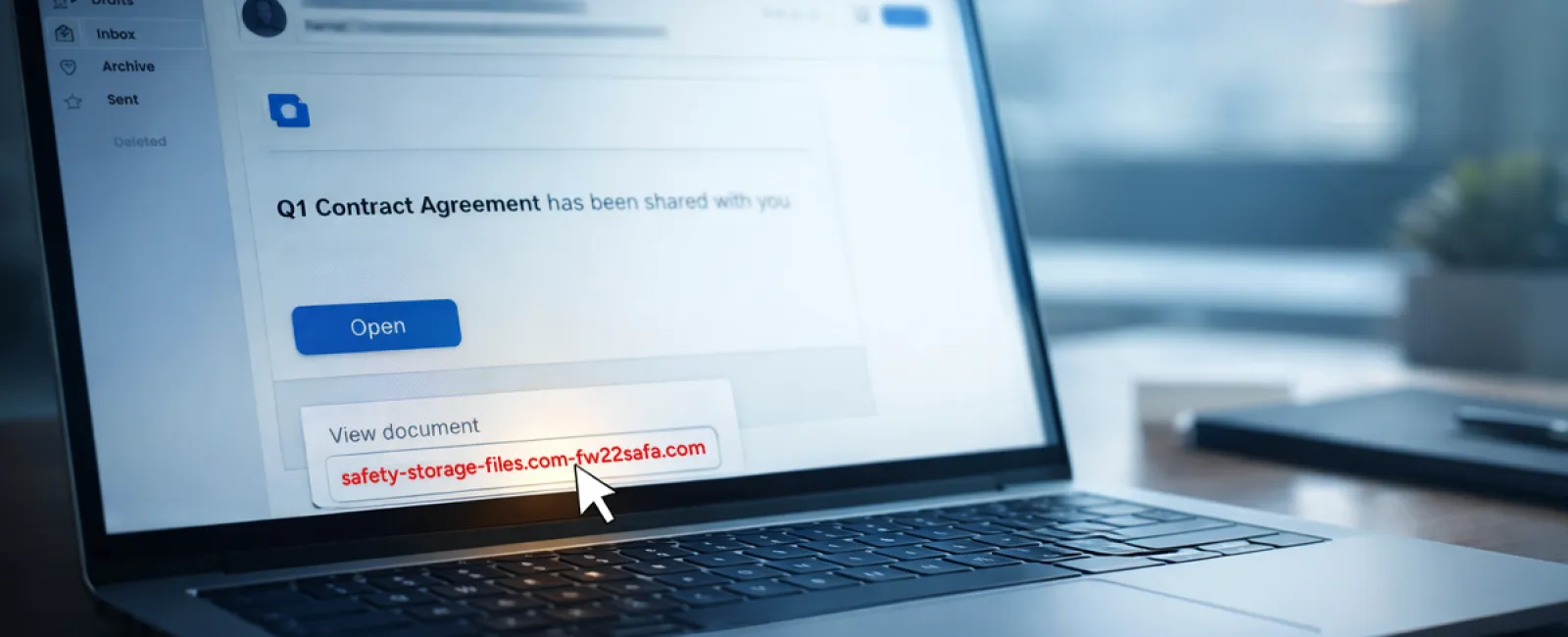
An employee receives an email claiming a document was shared—often resembling contract notifications via DocuSign, spreadsheets in OneDrive, or files on Google Drive.
The sender appears legitimate, and the email mimics standard file-share alerts flawlessly.
They click, log in, and unknowingly surrender their work credentials.
This grants attackers access to your company's cloud resources.
Such attacks have surged dramatically. Phishing exploiting trusted platforms like Google Drive, DocuSign, Microsoft, and Salesforce rose 67% in 2025 alone, with Google Slides phishing soaring over 200% recently.
Employees are seven times likelier to fall for these than random emails due to their familiar appearance.
More advanced variants involve compromised accounts sending sharing notifications from legitimate servers, bypassing spam filters.
Prevention measure: Train employees to never click unexpected shared file links. Instead, they should log in directly on the platform to verify the file's existence. IT teams can further secure accounts by limiting external sharing permissions and activating alerts for unusual activity—settings configurable in under 15 minutes.
Simple habits yield powerful protection.
Scam #3: Highly Polished Email Attacks
Gone are the days when phishing emails were easy to spot due to poor grammar or odd formatting.
A 2025 study found AI-generated phishing emails achieve a 54% click rate, over four times higher than human-crafted ones at 12%. These emails seamlessly incorporate real company names, job titles, and workflows scraped from LinkedIn and websites.
Attackers target departments specifically: HR receives fake employee verification requests; finance staff face fraudulent vendor payment change notices.
One test showed 72% of employees engaged with vendor impersonation emails—90% higher than other phishing types. These messages look like routine, professional communications with a calm but urgent tone.
Defense strategy: Verify any requests involving credentials, payments, or sensitive information through a separate channel, like a phone call or direct message. Employees should always check sender email domains by hovering over addresses and treat urgent messages as red flags.
True security doesn't rely on panic tactics.
The Core Issue
These scams exploit familiarity, authority, opportunistic timing, and the assumption of quick compliance.
The real vulnerability isn't careless employees—it's systems relying on everyone acting perfectly under pressure.
If one rash click can disrupt your day, the problem isn't the people; it's the processes.
And process weaknesses can be fixed.
How We Support You
Many business owners don't want cybersecurity to become another overwhelming task or to be solely responsible for educating their teams about threats.
They want peace of mind that their business isn't unknowingly exposed.
If you're worried about your team's exposure—or know someone who should be—we're here to help.
Book a no-obligation discovery call to discuss:
- The current threats affecting businesses like yours
- How risks infiltrate everyday workflows
- Effective ways to safeguard your company without slowing productivity
No pressure. No fear tactics. Just clear conversation and practical solutions.
Click here or give us a call at 253-292-3329 to schedule your free 15-Minute Discovery Call.
If this isn't relevant to you, please forward it to someone who would benefit. Sometimes awareness is all that's needed to stop a "would-have-clicked" from turning into a "nice try."